Music visualizer videos built from bouncing neon worlds
Import your music, choose an excerpt, and let each impact reshape the sound and motion. Pick one of five neon marble simulations and preview the result. Download the finished performance as a synchronized vertical 9:16 video.
- No card required
- 3 free export credits every 7 days
- Synchronized 9:16 video
- Browser-based
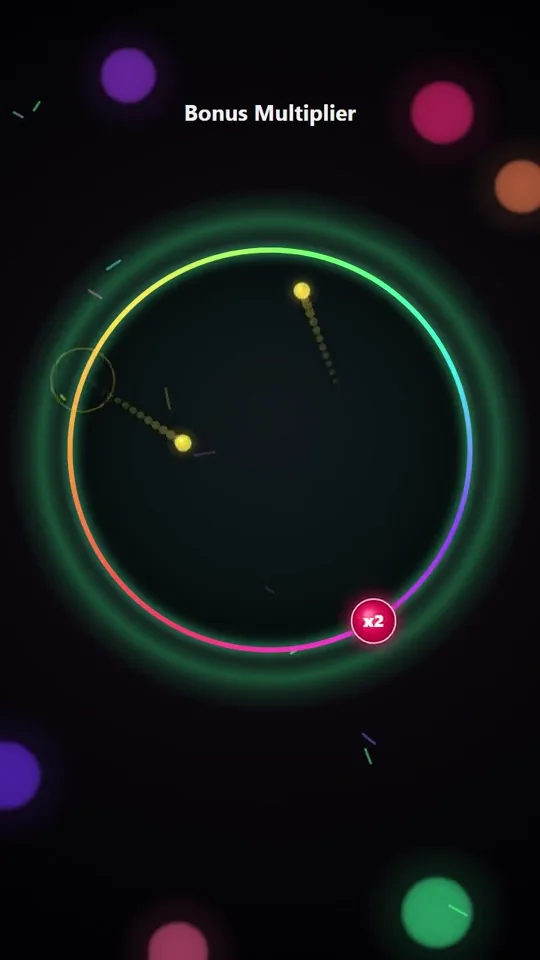
Vertical gameplay preview
How it works
From song to performance in three steps
- 1
Choose the music
Import an audio or MIDI file, then set the excerpt you want to turn into a visual.
- 2
Pick a neon world
Choose one of five simulation modes and preview how collisions, growth, rings, or bursts follow the soundtrack.
- 3
Export the performance
Create a synchronized 9:16 portrait video.
Features
What you can do
- Choose from Growth, Collision +1, Bonus x2, Rings, and Explosion
- Trim an excerpt from your music before building the simulation
- Use music fragments or an instrumental interpretation when the source supports it
- Preview the animation and audio together before exporting
- Export a synchronized 9:16 video with audio
Frequently asked questions
- Is Musical Balls available on a free account?
- Yes. A free account includes 3 watermarked video export credits every 7 days shared across Plynox, with no card required. Creator Pro ($7/mo or $56/yr) unlocks unlimited exports without the Plynox watermark.
- Which simulation modes are included?
- Musical Balls includes Growth, Collision +1, Bonus x2, Rings, and Explosion.
- What format does it export?
- The exporter targets a 9:16 portrait video with synchronized audio.
- Can I choose only part of a song?
- Yes. Set the start and end of the excerpt before generating the simulation. Excerpts are limited to 90 seconds.
Ready to make one?
Play right away, no account needed. A free account exports 3 watermarked videos every 7 days across Plynox, no card required. Creator Pro unlocks unlimited exports without the Plynox watermark, up to 8x faster than real time on a recent computer.